Back to Tahapan

Paspor BCA Mastercard

One card for convenient transactions across Indonesia

Why Paspor BCA Mastercard?

Wide Network

Ease of transactions at millions of domestic outlets with Debit BCA logo and tens of millions others abroad connected through the Mastercard network

Easy PIN Change

Ease of changing PIN and card blocking through BCA mobile, myBCA, and KlikBCA

ATM Cash Withdrawal

Ease of cash withdrawals and payments through BCA ATMs, including bills for electricity, credit cards, phones, and phone credit purchases

Paspor BCA Mastercard Feature

Paspor BCA Mastercard card type

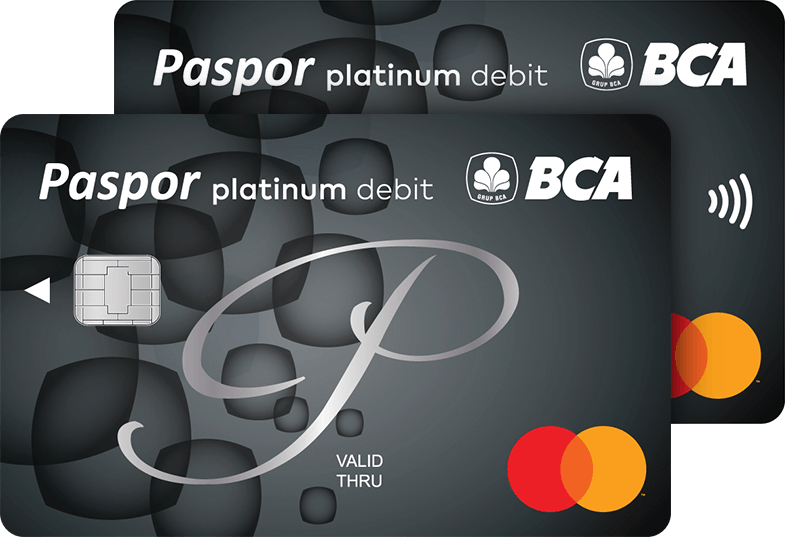
Paspor BCA Mastercard Platinum

For high mobility active transactions

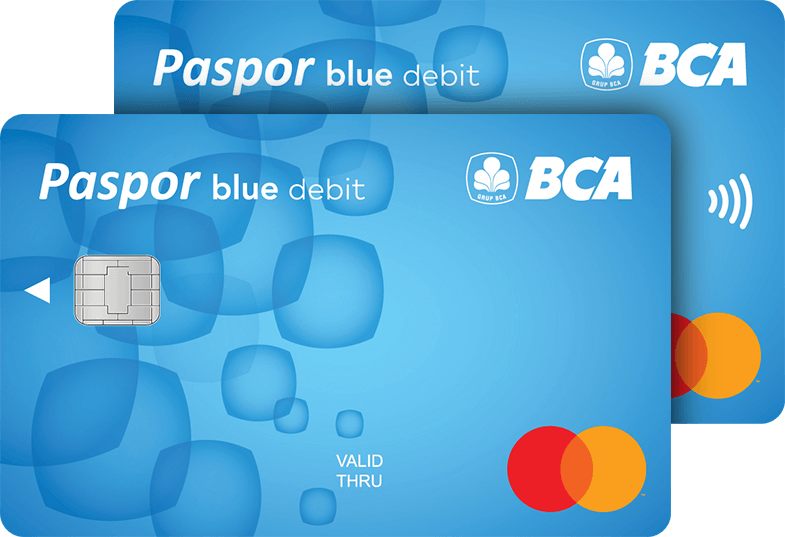
Paspor BCA Mastercard Blue

For daily transactions

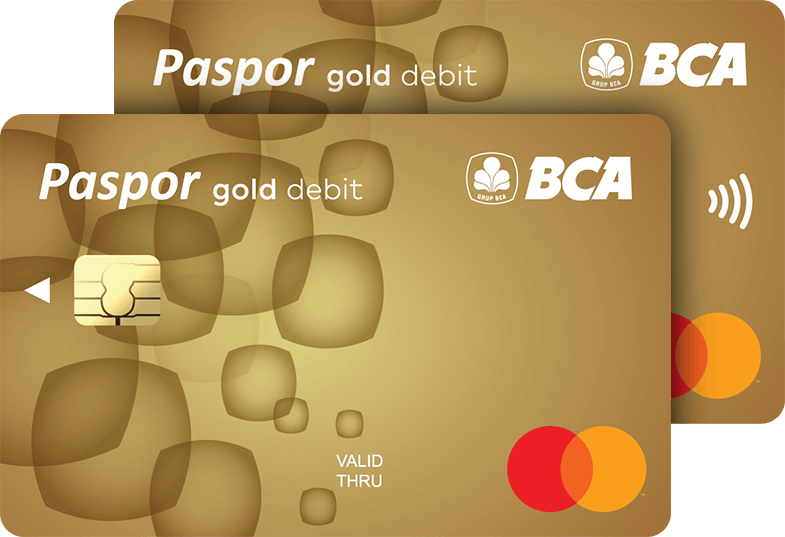
Paspor BCA Mastercard Gold

For daily active transactions

Paspor BCA Mastercard

About Fees and Limit Important Information

About


The Paspor BCA Mastercard is a facility for Tahapan and Tahapan Gold account holders, in the form of cards that function as ATM, Debit, and Cash cards.

Fees & Limits


Fees

  • Monthly Administration & Card Issuance/Replacement Fees
  • Types of Cards

    Administration Fee

    Card Issuance/Replacement Fee*

    Blue

    IDR15,000

    IDR20,000

    Gold

    IDR17,000

    IDR20,000

    Platinum

    IDR20,000

    IDR20,000

    Note: The replacement of a BCA Debit/ATM Card that is about to expire within ≤ 3 months or has expired is subject to the card replacement fee.

  • Interbank Transaction Fees on the ATM Network
  • Types of Transactions

    ATM BCA

    Mastercard

    Balance Check

    Free

    IDR5,000

    Cash Withdrawal

    Free

    IDR20,000

    Interbank Transfer

    IDR6,500

    -

    Rejected Transaction

    Free

    IDR5,000

  • Overseas Transaction Fees
    Transactions with the Paspor BCA Mastercard can be made at overseas ATM/EDC machines that have the Mastercard/Cirrus logo.
  • No. Components of Overseas Transaction Fees Total

    1

    Cash Withdrawal Fee

    IDR20,000

    2

    Balance Check Fee

    IDR5,000

    3

    Cash Withdrawal Decline Fee

    IDR5,000

    4

    Decline Debit Fee

    IDR2,500

    Note : There are other overseas transaction fees that may be charged to customers, such as:

    • Access fees charged by overseas banks/ATM providers
    • Transaction fees for the currency conversion process using the exchange rate provided by the overseas bank/ATM/EDC provider
  • Other fee information for the Tahapan or Tahapan Gold account can be viewed on the Tahapan or Tahapan Gold product pages.

Limit

Daily Transaction Limit (via ATM, EDC, and myBCA)

Description Paspor Blue Paspor Gold Paspor Platinum

Via ATM BCA

Cash Withdrawal 1) 6)

IDR15,000,000

IDR15,000,000

IDR15,000,000

Cash Deposit 2)

IDR50,000,000

IDR80,000,000

IDR100,000,000

Transfer between BCA Account 3) 6)

IDR100,000,000

IDR125,000,000

IDR150,000,000

Transfer between BCA Account (to foreign exchange account) 4) 6)

IDR100,000,000

IDR125,000,000

IDR150,000,000

Interbank Transfer 3)

IDR30,000,000

IDR40,000,000

IDR50,000,000

Via EDC

Debit BCA 5)

IDR100,000,000

IDR125,000,000

IDR150,000,000

Via BCA Mobile Banking (m-BCA)

Transfer between BCA Account 3)

IDR100,000,000

IDR125,000,000

IDR150,000,000

Interbank transfer

IDR30,000,000

IDR40,000,000

IDR50,000,000

Other (For all card type)

Via Internet Banking

IDR500,000,000

Via myBCA

IDR300,000,000

Effective as of January 19, 2024

Notes:

  1. Limit of cash withdrawal transactions using ATM card or Cardless service in BCA mobile is a combined limit
  2. Limit of cash deposit transaction using ATM Card or Cardless services in BCA mobile is a combined limit
  3. Transfer Transaction Limit is combined limit with m-BCA except Transfer to Sakuku and Transfer to BCA Virtual Account
  4. Debit BCA payment limit becomes one with cash withdrawal at merchant and Flazz Top up at EDC (separate from atm cash pick-up limit)
  5. Limit of cash deposit transactions using ATM card or Cardless service in BCA mobile is a combined limit
  6. Valid for Paspor BCA Mastercard & Paspor BCA GPN, effective as of January 19, 2024

Important Information


Card Usage

Here are the transactions that can be made with the Paspor BCA Mastercard:

  • Deposit via a cash deposit machine.
  • Cash withdrawals at BCA ATMs and ATMs of other banks via the ATM Prima and ATM Cirrus networks.
  • Transfer between accounts at BCA and interbank transfers in Rupiah through BCA ATMs, ATMs of other banks via the ATM Prima network, and other switching service provider networks.
  • Transfer to the United States Dollar (USD)/Singapore Dollar (SGD) account via BCA ATM in the currency specified by BCA.
  • Payment of various bills/installments and credit purchases through BCA ATMs.
  • Purchases with BCA Debit through BCA EDC machines and other EDC machines through the Mastercard network.
  • Cash withdrawals at merchants with "Tunai BCA" stickers.
  • Online debit transactions via Mastercard networks.
  • Other transactions through counters, ATMs, and/or other means determined by BCA

Transaction via BCA ATMs

  1. Insert Paspor BCA Card
  2. Enter your PIN
  3. Select the desired transaction type

Transaction via EDC Machines

  1. Insert Paspor BCA Card
  2. Verify the transaction's nominal amount on the EDC machine display
  3. Enter your PIN or provide your signature (for transactions at overseas merchants that only accept signatures for verification)

Contactless Transaction with BCA Mastercard Debit Contactless

  1. Bring your BCA Mastercard Debit Contactless closer to an EDC or payment terminals that accept contactless transactions
  2. Verify the transaction’s amount on the screen of the EDC or payment terminals

Note:

For contactless transactions requiring a PIN or exceeding the maximum limit set by BCA, the principal of the Paspor BCA Card, or the authorized authority in each country where the cardholder makes a contactless transaction, the cardholder must enter a PIN or provide a signature (for transactions at overseas merchants that only accept signatures for verification).

Online Debit Transaction with Paspor BCA Mastercard

  1. Enter the Paspor BCA Mastercard card number, expiry date, and CVV (Card Verification Value) into the merchant's application or website
  2. Enter the OTP sent to BCA's e-channel, or the mobile number registered by the cardholder for verifying online debit transactions (for merchants requiring OTP). Cardholders must keep the OTP confidential and are not allowed to share it with anyone.
  3. Continue the transaction on the merchant's application or website.

Unblocking of Paspor BCA Card

If the cardholder enters the wrong PIN three times in a row, the Paspor BCA Card will be blocked. Unblocking can be done at BCA branch offices by bringing the Paspor BCA Card, proof of account ownership, and the cardholder's identity card in accordance with the applicable provisions at BCA.

Replacement of Paspor BCA Card

  • If the Paspor BCA Card is damaged or lost, the cardholder can request a replacement from BCA at a designated branch, which will notify the cardholder in any form and by any means as required by law.
  • A request to replace a damaged Paspor BCA Card must be made by presenting the damaged card to BCA.

Closure of Paspor BCA Card

If the cardholder no longer wants to use the Paspor BCA Card, they must submit a notification of closure and present the card to the BCA Branch office.

The Paspor BCA Card will be closed if:

  1. Accounts linked to the Paspor BCA Card are closed; or
  2. The cardholder's account status changes from "Or" to "And"; or
  3. The cardholder applies to close the Paspor BCA Card.

After the cardholder closes the Paspor BCA Card, BCA will issue the Paspor BCA Card for counter use only.

Additional Information

  • The Paspor BCA Card is owned by BCA. If BCA requests it, the Paspor BCA Card must be returned immediately.
  • The Paspor BCA Card can only be used for transactions at BCA ATMs and through other methods specified by BCA.
  • The Paspor BCA Card can only be used for transactions if the cardholder's BCA account balance is sufficient.
  • Especially for Tahapan BCA joint accounts, BCA can issue only one Paspor BCA Card to one of the designated account holders.
  • A written request to unblock a Paspor BCA Card reported lost can be submitted by the cardholder at a BCA branch. BCA reserves the right to verify the cardholder's identity when they apply to unblock the Paspor BCA Card.

Terms and Conditions

Terms and Conditions of Paspor BCA Card
Review the Terms and Conditions of this product or service via the link below
Download PDF