
Notifications on BCA mobile are an essential feature for monitoring banking activity. Through this feature, various types of information can be accessed easily, ranging from transaction details to important messages.
To support a seamless transaction experience, notification settings on BCA mobile can be customized according to individual preferences. This helps ensure that the information received remains relevant and aligned with specific needs.
About the Types of Notifications in BCA mobile
Several types of notifications are available in BCA mobile, including:
- All
Displays all notifications, including OTP codes, approvals for non-financial activities, informational messages, and transaction notifications. - OTP & Approvals
Contains OTP codes used for transaction verification and other banking activities, as well as approvals for non-financial activities. - Info
Contains banking-related information, including promotions and security tips to support convenient and secure transactions. - Transaksi
Contains notifications for all incoming and outgoing transactions.
By understanding each notification category, finding relevant notifications can be done more quickly and efficiently.
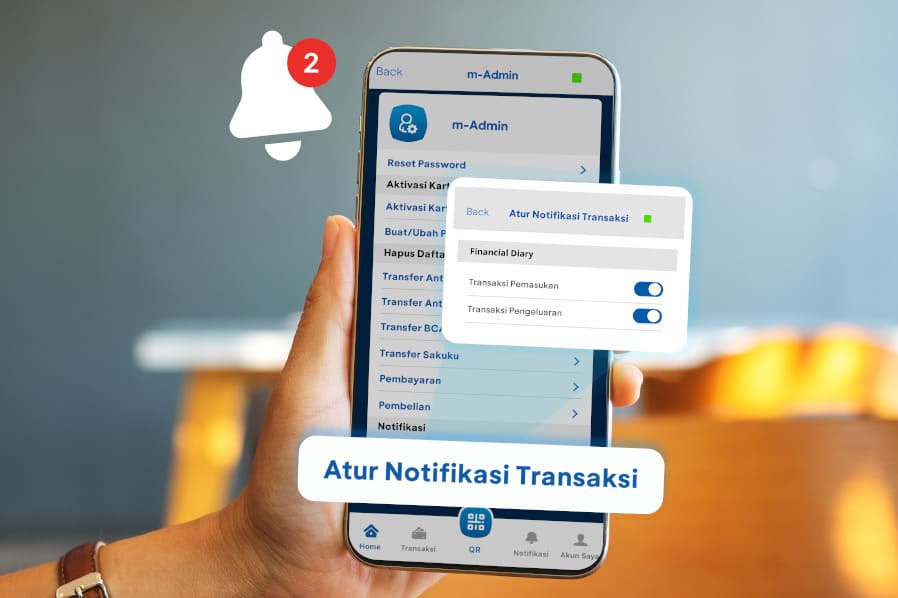
How to Set Up Transaction Notifications in BCA mobile
Follow these steps to set up notifications for incoming and outgoing transactions in BCA mobile:
- Log in to BCA mobile
- Select the m-Admin menu
- Select “Atur Notifikasi Transaksi”
- Toggle the notification options on or off according to notification preferences.
How to Manage Notifications
In addition to customizing notification settings, received notifications can also be managed more conveniently. Follow these steps:
- Log in to BCA mobile
- Select “Notifikasi”
- Select “Tandai Terbaca Semua” to mark all notifications as read.
- Select “Hapus Semua” to delete all notifications.
With the appropriate settings, staying informed about transaction activities and other important banking information through BCA mobile becomes easier and more convenient.
Related Articles: Easily Manage Your Email Transaction Notifications in myBCA


