
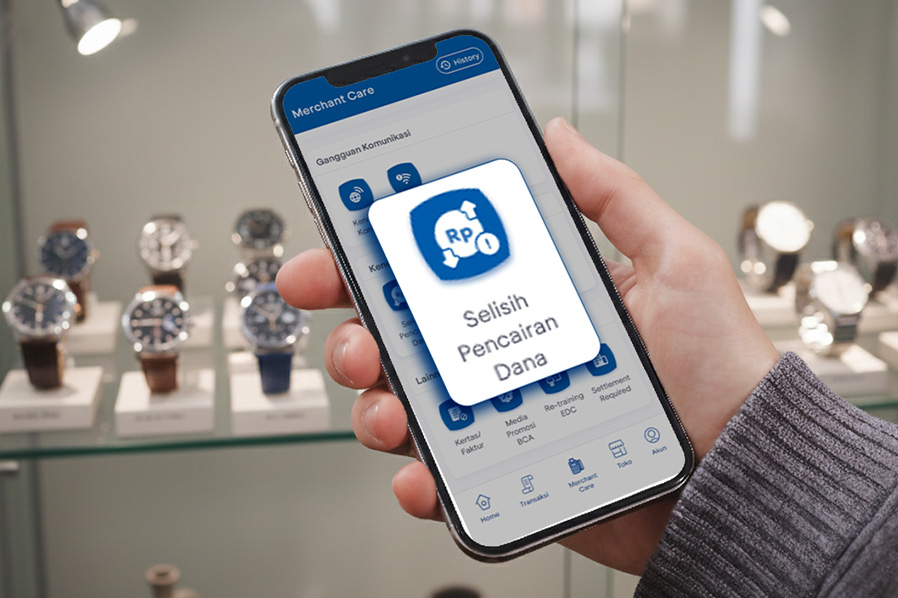
Merchant BCA is an application that helps guide your business from registering as a new merchant, applying for EDC and QRIS, checking transaction reports, to accessing Merchant Care, which is available 24/7 to keep your business running smoothly.
When running a business, you may encounter unexpected obstacles, one of which is a discrepancy between the funds received (settlement) and the transactions made. But don't worry, the BCA Merchant app now has the solution.
"Selisih Pencairan Dana" Feature
BCA has added a new feature to the Merchant BCA app to help customers who experience fund disbursement differences.
The Merchant BCA app has a “Selisih Pencairan Dana” feature in the Merchant Care menu, which can be used to submit fund disbursement differences. Previously, this could only be done via email, but now it can be done directly through the Merchant BCA app.
How to Use It?
It only takes five easy steps to use the "Selisih Pencairan Dana" feature to resolve the issue:
- Prepare the receipt or a screen capture of the transaction with a discrepancy
- Log in to the Merchant BCA app and open the Merchant Care menu
- Select "Selisih Pencairan Dana"
- Select the store and the EDC machine TID used for the transaction
- Fill in and complete the Transaction Data
Please note that the "Selisih Pencairan Dana" feature is only accessible to Merchant BCA app users with Super Admin and Admin roles.
Make the most of the Merchant BCA app to resolve issues seamlessly and keep your business running smoothly.


