

More About Flazz
Top Up Flazz via myBCA
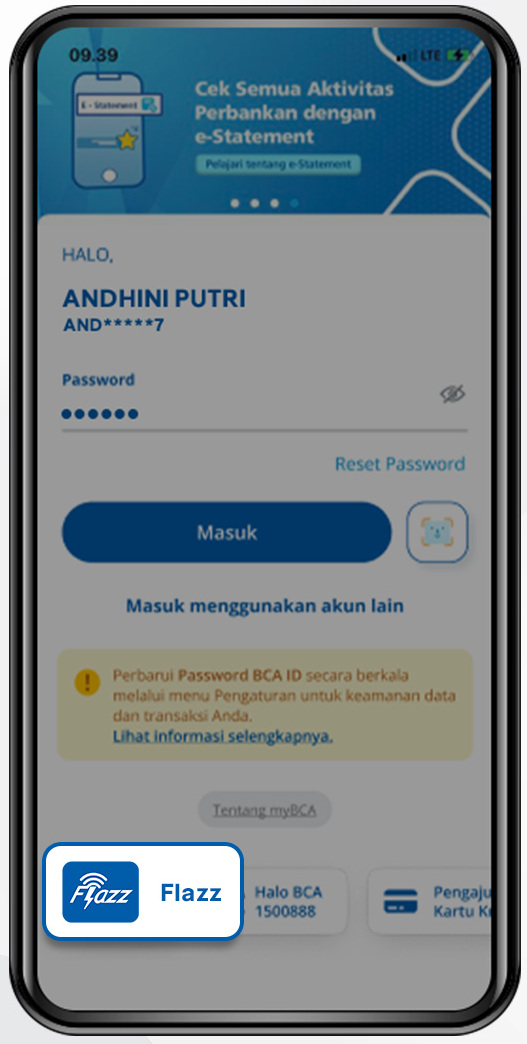
Step 1/9
Log in to myBCA
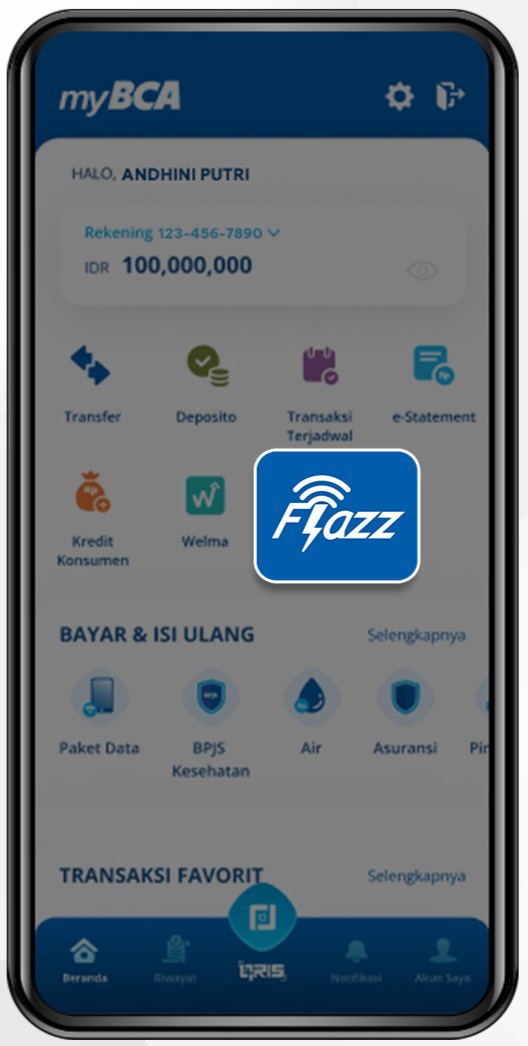
Step 2/9
Select the “Flazz” feature
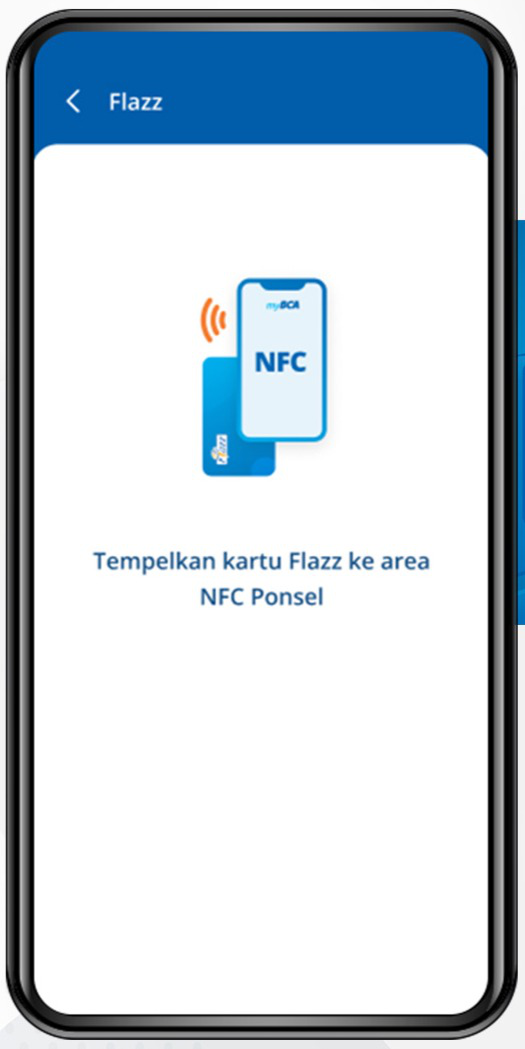
Step 3/9
Place the Flazz card on the NFC in your mobile device
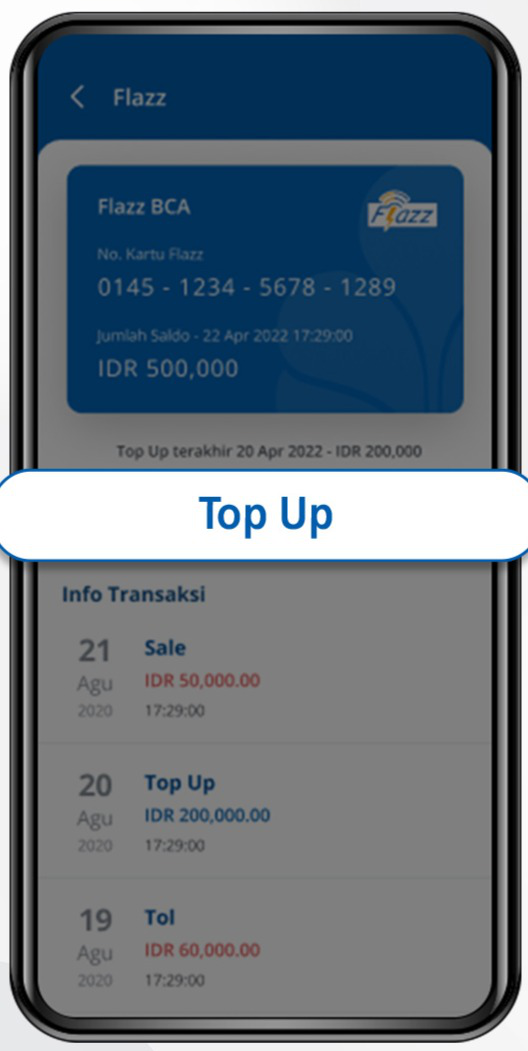
Step 4/9
Your Flazz card balance information will appear, then click “Top Up”
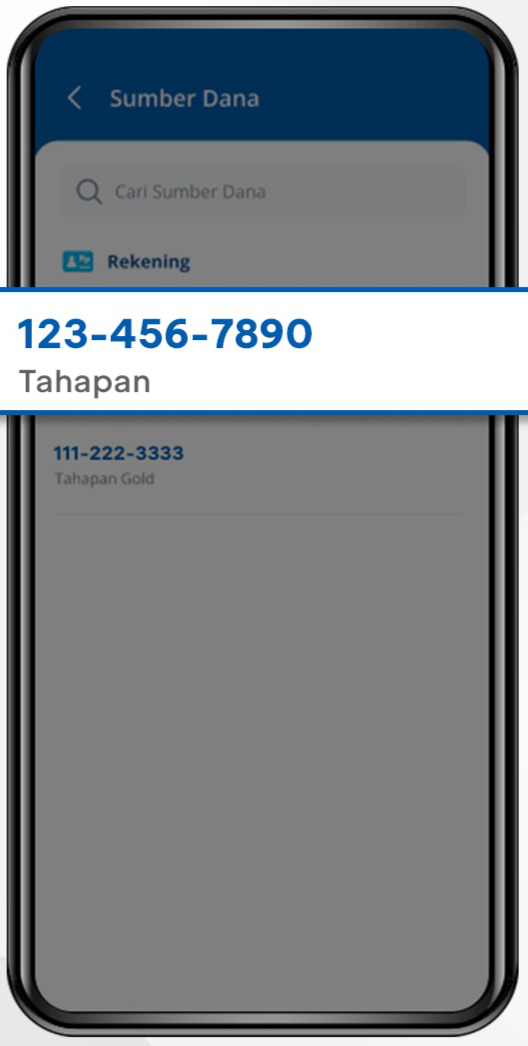
Step 5/9
Select the fund source account
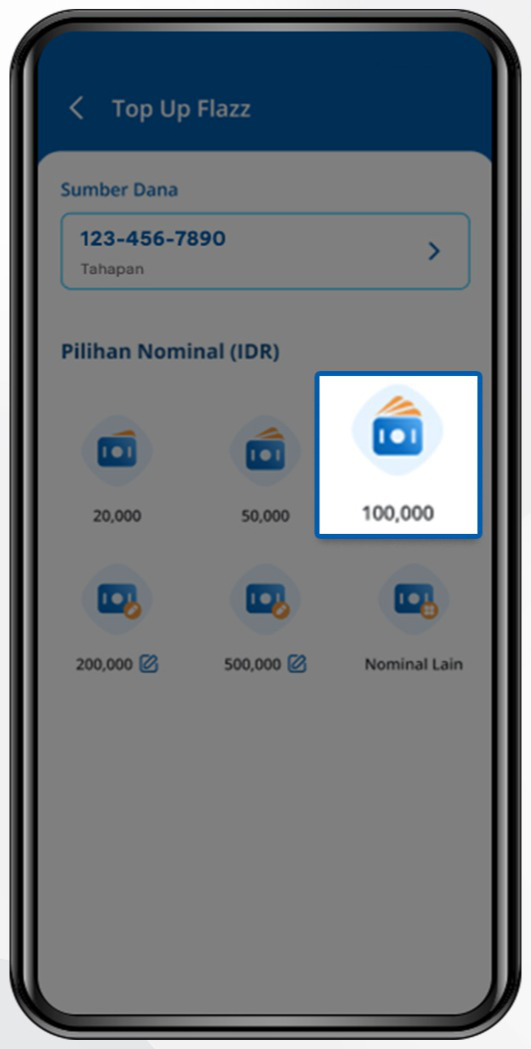
Step 6/9
Enter the top-up amount
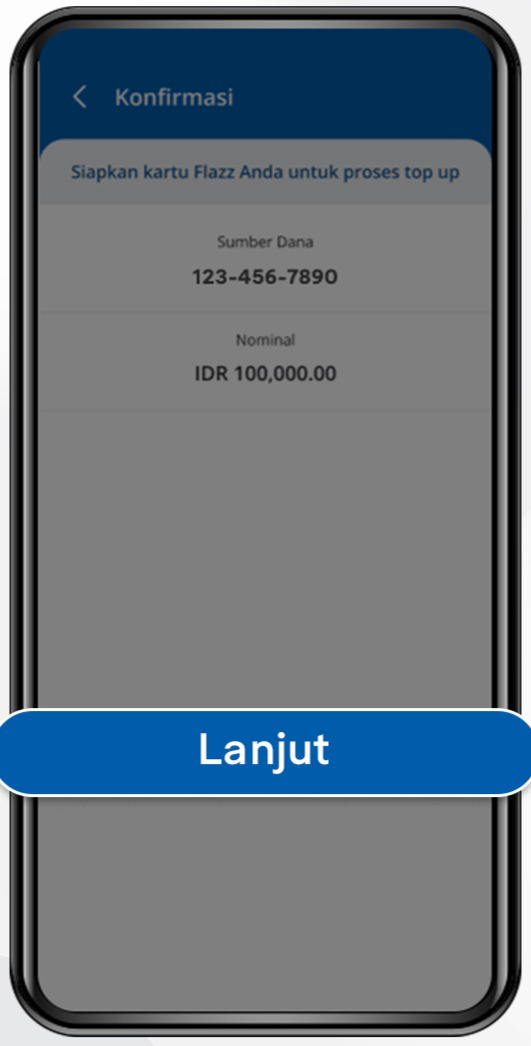
Step 7/9
Click “Lanjut” to confirm the transaction
Step 8/9
Place the Flazz card on the NFC in your mobile device
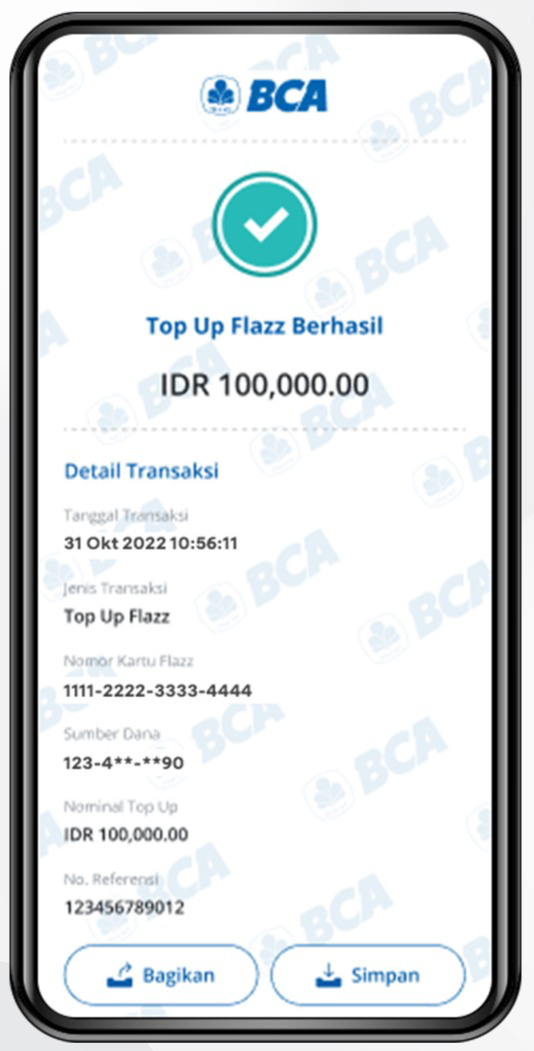
Step 9/9
Transaction details will appear when the top-up is successful