

More about OneKlik
Setting OneKlik Limit
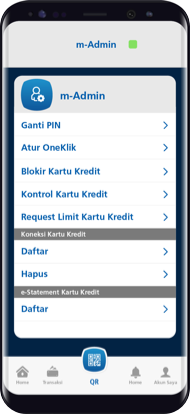
Step 1/5
Open BCA mobile, select m-Admin and click OneKlik Setting
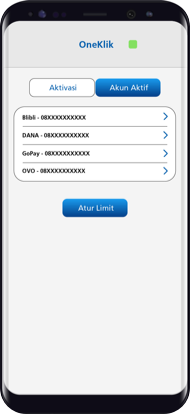
Step 2/5
Select Active Account menu, and click on Set Limit
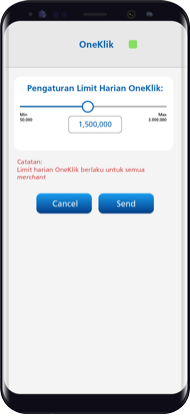
Step 3/5
Set OneKlik daily limit. You can set daily limit up to a maximum of Rp3 million, valid for transactions at all merchants/partners
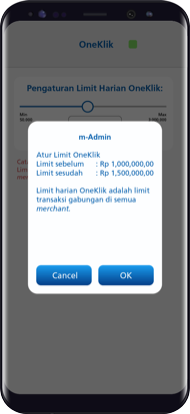
Step 4/5
Make sure the information is correct, and click OK
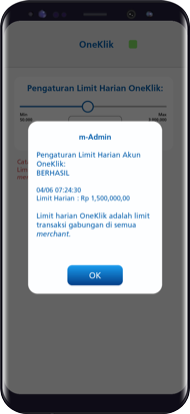
Step 5/5
Congratulations! The limit setting has been made successfully.