

More About BCA Keyboard
Tutorial BCA Keyboard Activation for users Android
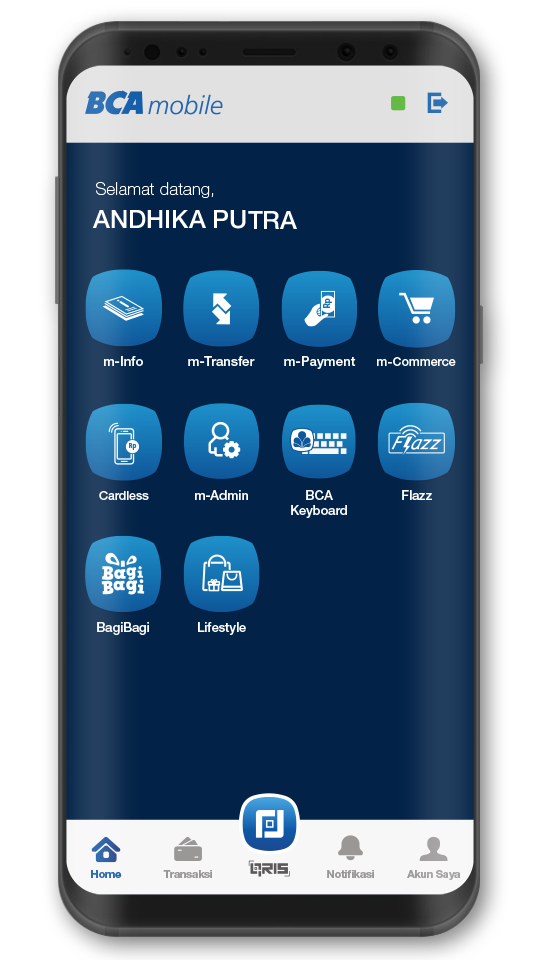
Step 1/5
Update BCA mobile and tap the “Aktivasi BCA Keyboard” menu
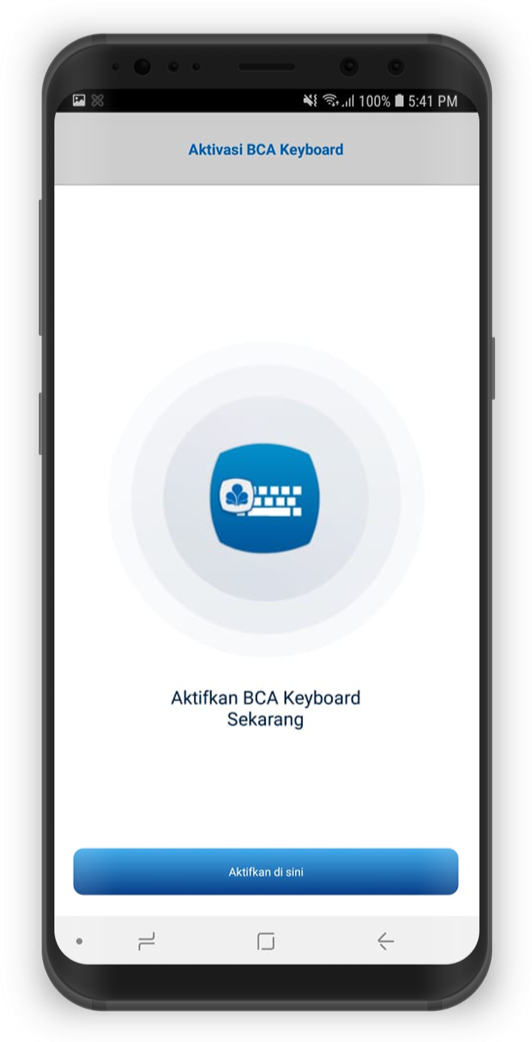
Step 2/5
Tap the Activate Now button
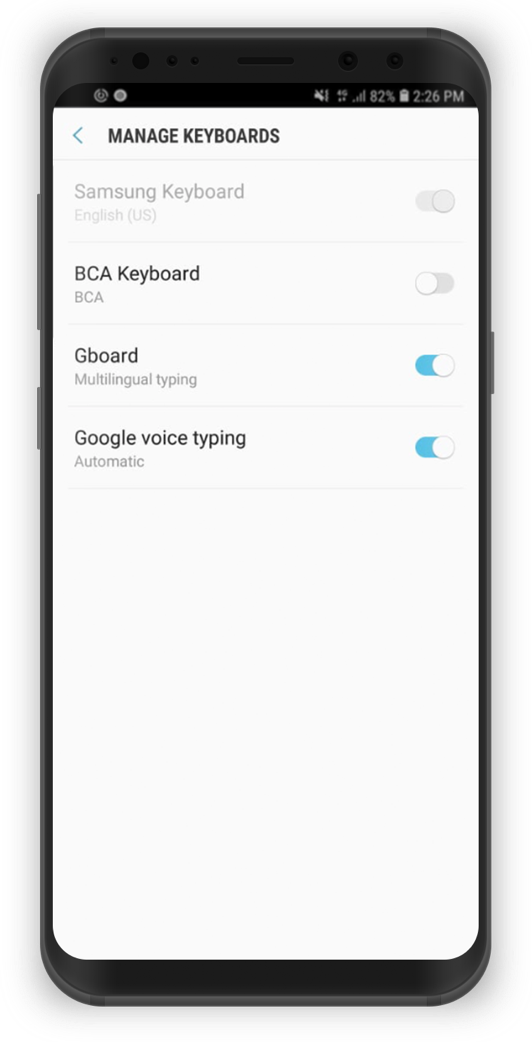
Step 3/5
On Keyboard Settings, turn on the toggle for BCA Keyboard
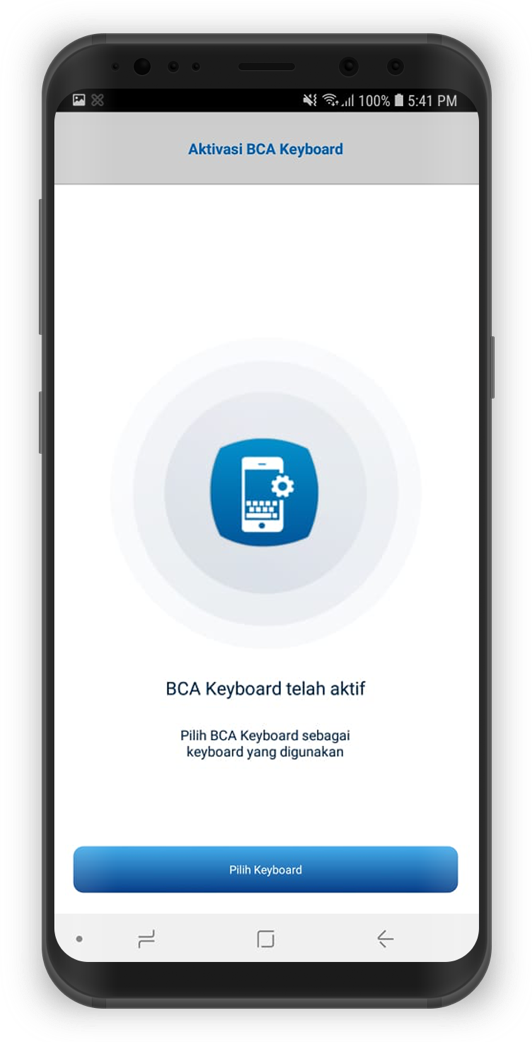
Step 4/5
Choose BCA Keyboard as the main keyboard in your smartphone
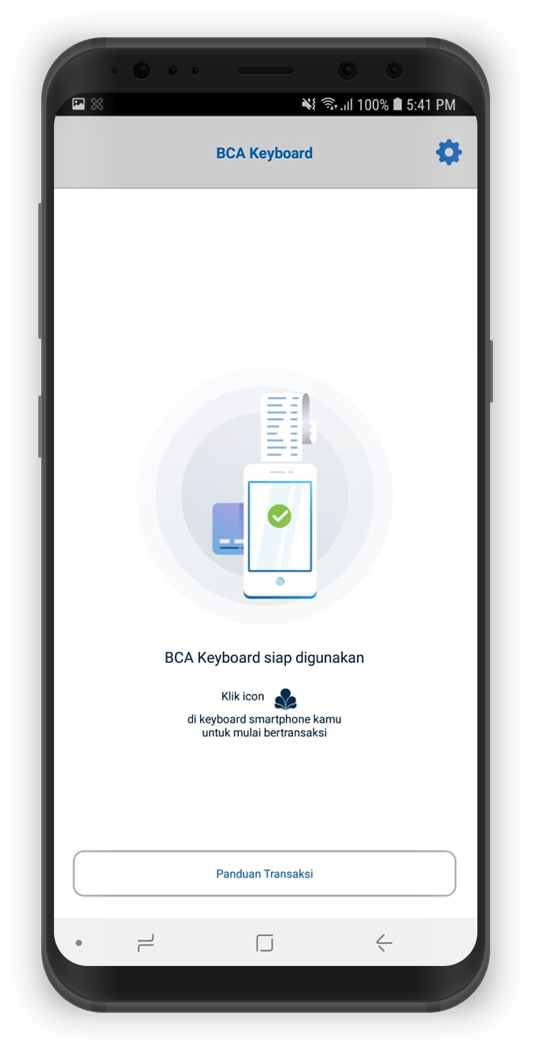
Step 5/5
BCA Keyboard has been activated and is ready to use