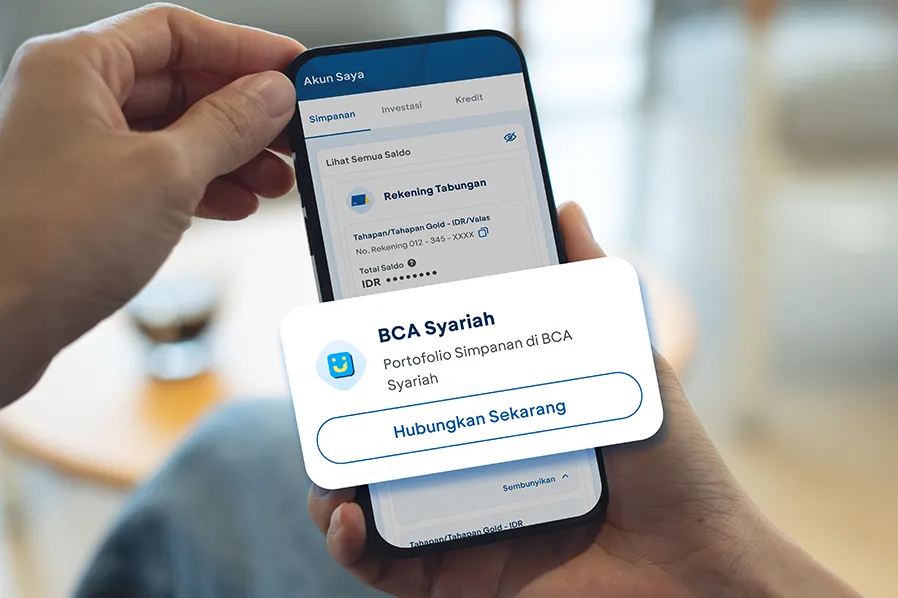
Managing accounts is now more convenient than ever. For BCA Syariah customers, the BCA Syariah portfolio can now be linked directly to myBCA. Information ranging from savings accounts to investments at BCA Syariah can be viewed through myBCA without switching apps.
Here’s how to link it.
How to Link the BCA Syariah Portfolio to myBCA
- Log in to myBCA
- Select the My Account menu
- In the Savings or Investments menu, find BCA Syariah, then click Connect Now
- Read the information displayed, then click Agree to continue the portfolio connection process
- Enter the PIN for verification
- Once the process is complete, the BCA Syariah portfolio will be connected to myBCA.
How to Check the BCA Syariah Portfolio on myBCA
Once the BCA Syariah account is linked to myBCA, check the BCA Syariah portfolio information by:
- Log in to myBCA
- Select the My Account menu
- In the Savings or Investments menu, find BCA Syariah, then click View Details on the portfolio to be viewed
- Portfolio information and transaction history will be displayed
With myBCA, various portfolios can be accessed in one app. How convenient is that?
No need to switch apps to view the BCA Syariah portfolio. Connect to myBCA now and access account information more conveniently anytime, anywhere.