Blocked BCA banking services will certainly disrupt transactions. Various transaction needs that can usually be fulfilled quickly may be delayed.
But don’t worry. You can now unblock BCA mobile, KlikBCA, and OneKlik through the haloBCA app, without having to visit a branch or call Halo BCA. The process is convenient, fast, and can be done right from a phone.
Want to know how to unblock BCA mobile, KlikBCA, and OneKlik? Check out the steps below.
How to Unblock BCA mobile, KlikBCA, and OneKlik via the haloBCA app
- Log in to the haloBCA app.
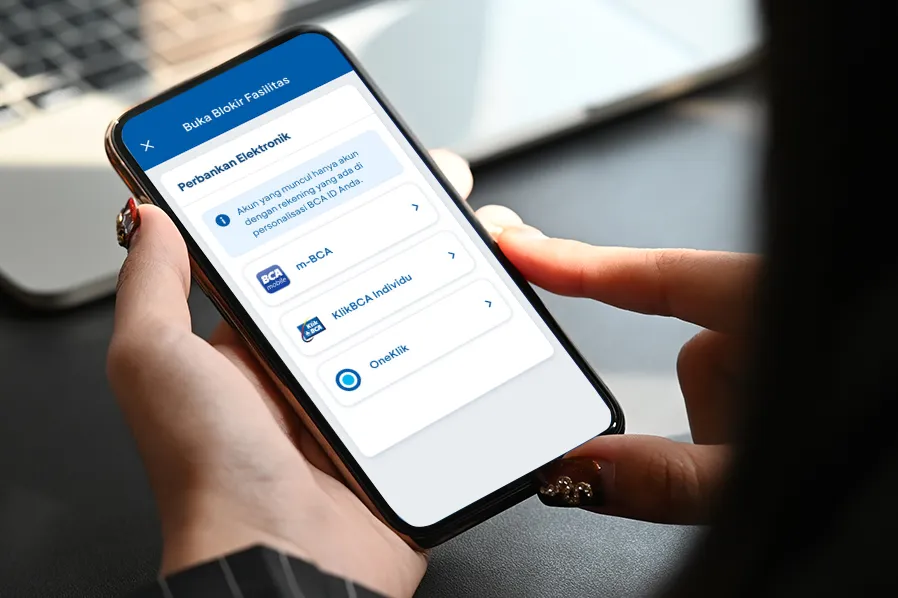
- Select the ‘Buka Blokir Fasilitas’ menu
- Select the ‘Perbankan Elektronik’ menu
- Select the m-BCA/KlikBCA Individual/OneKlik account you want to unblock
- Agree to the terms and enter the PIN
- The unblocking process is complete
After the unblocking process is complete, m-BCA and KlikBCA will need to be re-registered via a BCA ATM before they can be used again.
Easy, isn’t it?
With the unblocking feature available in the haloBCA app, banking service issues can be resolved in just a few steps, anytime and anywhere. If further assistance is needed, Halo BCA can also be contacted via the Call feature in the haloBCA app, which uses an internet connection (VoIP).
In addition to unblocking m-BCA, KlikBCA, and OneKlik, the haloBCA app also provides 24/7 access to Halo BCA services via Call, Chat, Email, and X (Twitter).
Through the haloBCA app, customers can connect to various official Halo BCA channels in a single app, making it easier and more convenient to access banking services.
Go ahead and download the haloBCA app to make daily banking transactions more convenient. Don’t forget to share this useful information with other GoodFriends!
Related article: Access the Halo BCA Contact Center via the haloBCA App


