
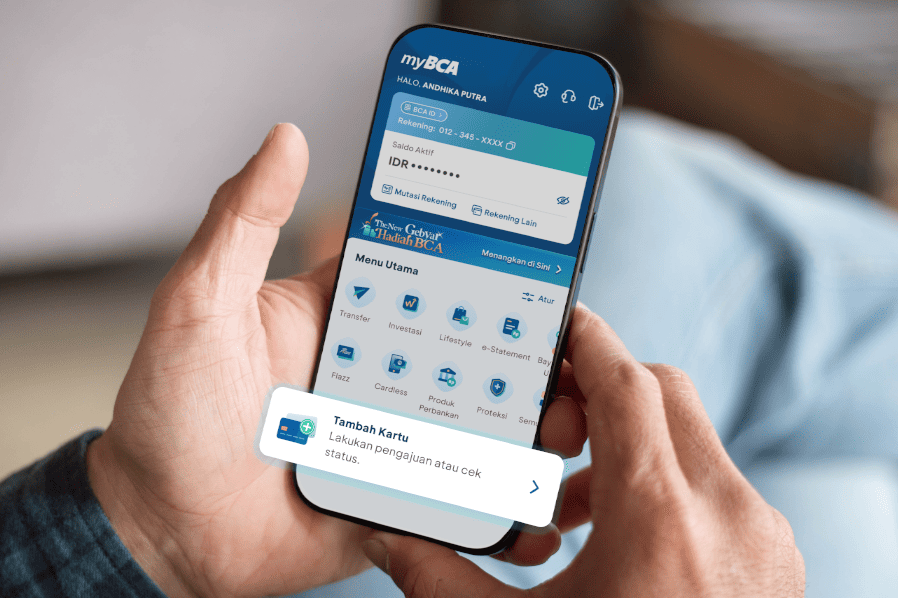
As the number of transactions continues to grow, having a payment method that meets various needs becomes increasingly important, including selecting the right type of credit card to match different lifestyles.
Currently, BCA offers a wide range of credit cards with features, promotions, and rewards tailored to various segments and needs. In addition, BCA provides added convenience for customers who already hold a BCA Credit Card and wish to obtain an additional credit card.
Now, applying for an additional BCA Credit Card can be done directly through the myBCA app.
How to Apply for an Additional Credit Card via myBCA App:
- Log in to myBCA
- Select Credit Card in the Card section
- Select Add Cards
- Select Request Additional Card
- Select the desired type of BCA Credit Card, upload a photo of the signature, then select Continue
- Check the Card Shipping Address. If it is correct, select Continue. If the address needs to be updated, select Change Address and follow the steps to update the credit card shipping address
- Complete the remaining information, then select Continue
- Review the details of the Additional Credit Card application, then select Continue
- Enter the PIN
- The Additional Credit Card application is complete
How to Check the Status of an Additional Credit Card Application via the myBCA App:
- Log in to myBCA
- Select Credit Card
- Select Add Card
- Select Check Application Status
With myBCA, applying for an additional credit card is now easier and more convenient, anytime and anywhere. Download the myBCA app now to enjoy seamless banking transactions.


