
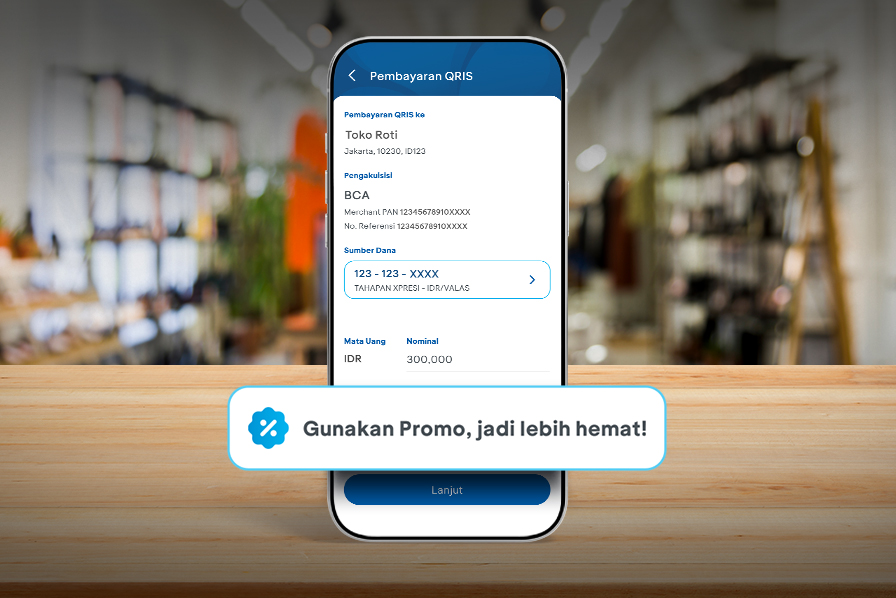
Not only are QRIS payments on myBCA practical and efficient, they’re now even more appealing thanks to a variety of promotional vouchers.
Now you can use various promotional vouchers on myBCA for QRIS transactions. Not only does this make payments easier, it also gives you the chance to earn attractive cashback and shop more economically.
Curious about how to use promo vouchers for QRIS transactions on myBCA? Just follow the steps below.
How to Use Promo Vouchers for QRIS Transactions on myBCA
- Log in to myBCA app
- Select Scan QRIS
- Select Source of Fund and enter the payment amount (if it’s not already filled in).
- Once the fund source and amount are filled in, the promo button will be activated. Select Use Promo
- Select promo voucher you want to use. To see the promo details, tap View Terms & Conditions.
- After selecting the promo voucher, tap Use Promo.
- The promo voucher details will appear on the QRIS Payment screen. If everything is correct, tap Continue.
- Confirm the transaction and tap Continue
- Enter your myBCA PIN
- Your QRIS promo transaction on myBCA has been successfully completed
With promotional vouchers, QRIS transactions on myBCA offer a complete payment solution, allowing you to complete transactions in seconds and enjoy promotions instantly.
If you don’t have myBCA yet, download it now and explore its various features.


