
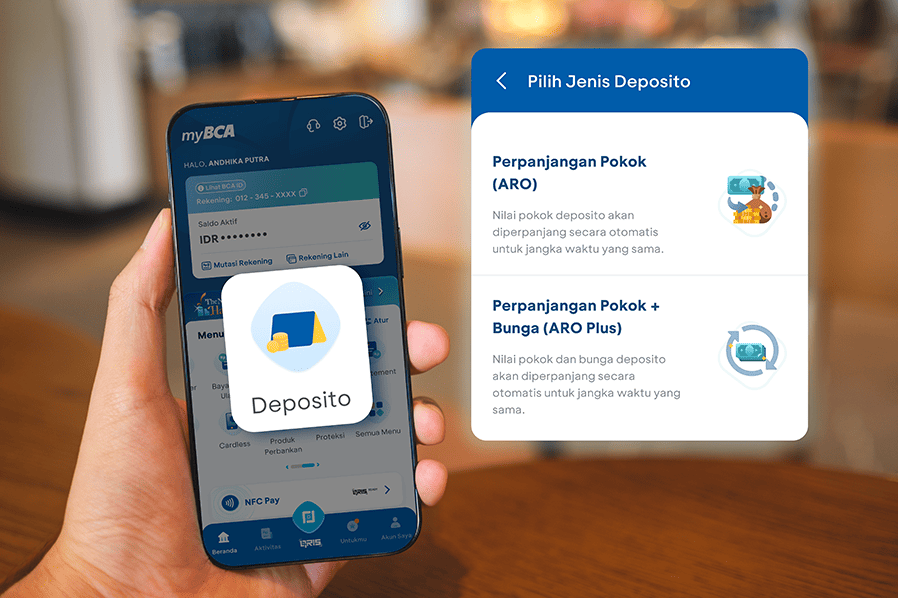
*Updated: September 28, 2026
Do you know what an e-Deposit is? An e-Deposit is a deposit account that can be opened and withdrawn online through a digital platform.
Now, you can open an e-Deposit through the Deposits feature on the myBCA mobile app or via the website at mybca.bca.co.id.
For those who don’t know what myBCA is, find out more here.
Advantages of the Deposits Feature on myBCA
- You can open and manage your e-Deposit anywhere without having to visit a branch. Through the myBCA digital platform, accessible via the mobile app or website, you can open an e-Deposit any day.
- It’s convenient because you can open a deposit account using the “Deposits” feature on the myBCA digital platform. So, you don’t have to worry about losing your deposit certificate, since e-Deposits don’t require a physical certificate. It’s paperless.
- Secure. Every withdrawal is automatically directed to your source account. You’ll receive email notifications for every account opening and withdrawal transaction at your registered email address. Plus, your e-Deposit is protected by LPS.
- Flexible. You can choose the term yourself: 1, 3, 6, or 12 months. You can also select the renewal method. If only the principal is automatically renewed for the same term and the interest is transferred to your account, it’s called an e-Deposit ARO. If both the principal and interest are reinvested, it’s called an e-Deposit ARO Plus.
If you absolutely need the funds, you can withdraw them before maturity. But remember, there’s a penalty.
How to Open an e-Deposit in myBCA
- Log in to myBCA.
- Select Bank Products, then select Time Deposit
- Select Open Account
- Review the e-Deposit Product Information Summary and agreement, then click Continue
- Select source of fund (IDR or foreign currency), then enter the deposit amount, term, and deposit type.
- Review the e-Deposit opening details, then click Continue
- Enter your PIN
- Your e-Deposit has been opened successfully!
To view your account history, go to the “History” menu or “My Account” menu. Information on newly opened e-Deposits will be available in the “My Account” menu on the same day the account is opened.
How to Encash an e-Deposit via myBCA
- Login to myBCA
- Select Deposits from the Main Menu
- Select Deposit Information
- Select the deposit you would like to encash
- Select encashment type, Immediate Encashment or Encashment at Maturity, then click Continue
- If you select Immediate Encashment, the Deposit amount will be transferred immediately to the designated account. However, interest for the current month will not be paid.
- If you select Encashment at Maturity, the funds will be transferred on the maturity date.
- Review the e-Deposit encashment details, then click Continue
- Enter your PIN
- Your e-Deposit has been successfully encashed!
Open an e-Deposit on myBCA!


