close

Virtual Account

How to Pay Virtual Account BCA via BCA Mobile
image

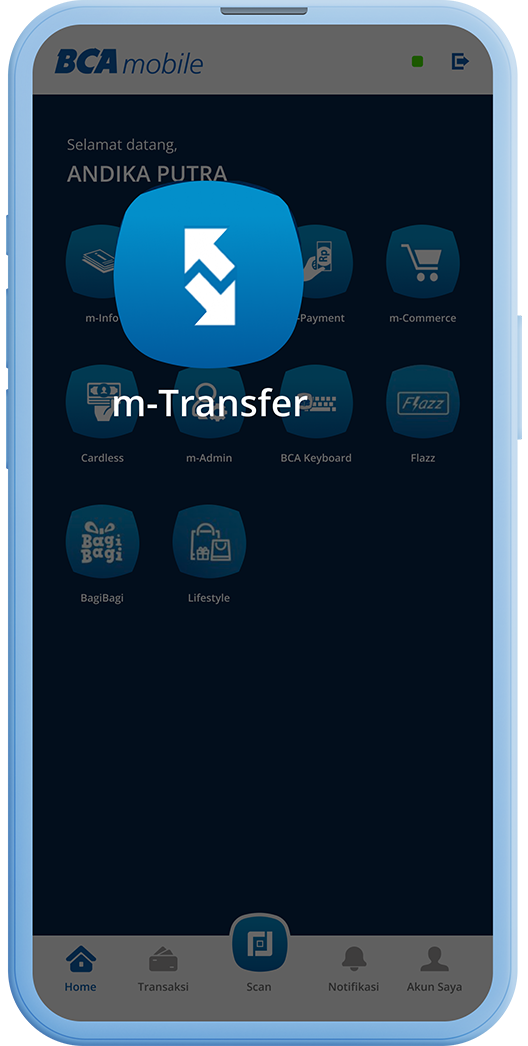
Step 1/6

Open BCA mobile, select the “m-Transfer” menu
image

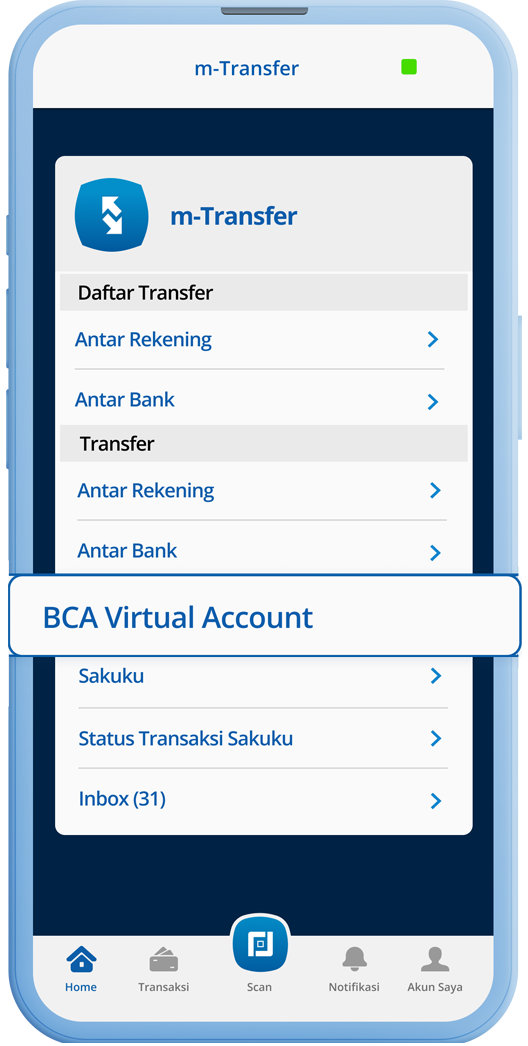
Step 2/6

Select the “BCA Virtual Account” menu
image

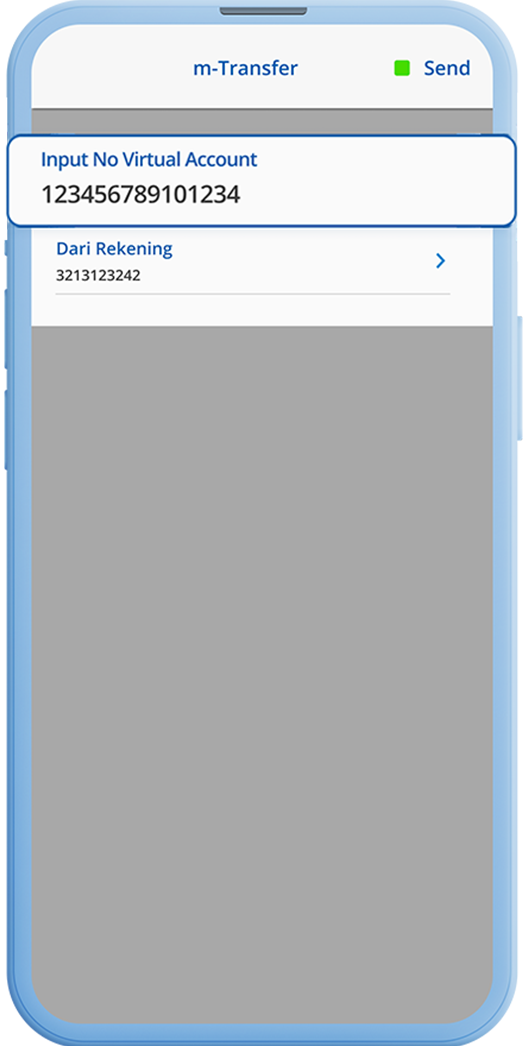
Step 3/6

Enter the BCA Virtual Account number and click “Send”
image

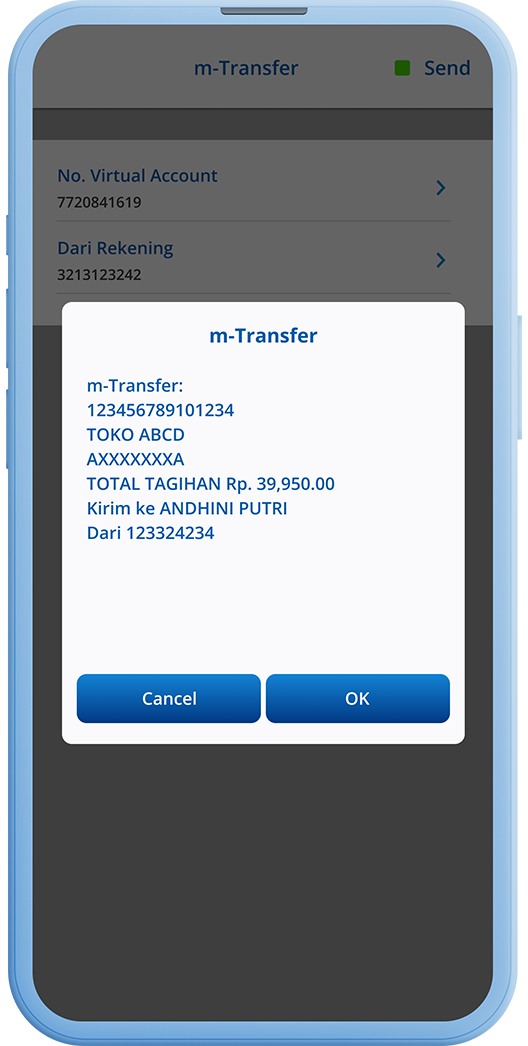
Step 4/6

Check the amount appearing on the screen
image

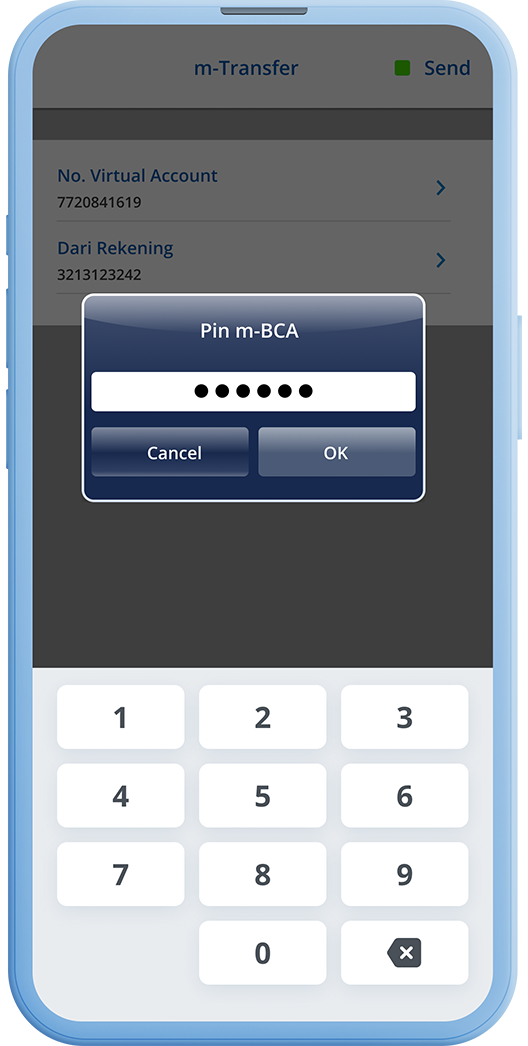
Step 5/6

Enter your m-BCA PIN

image

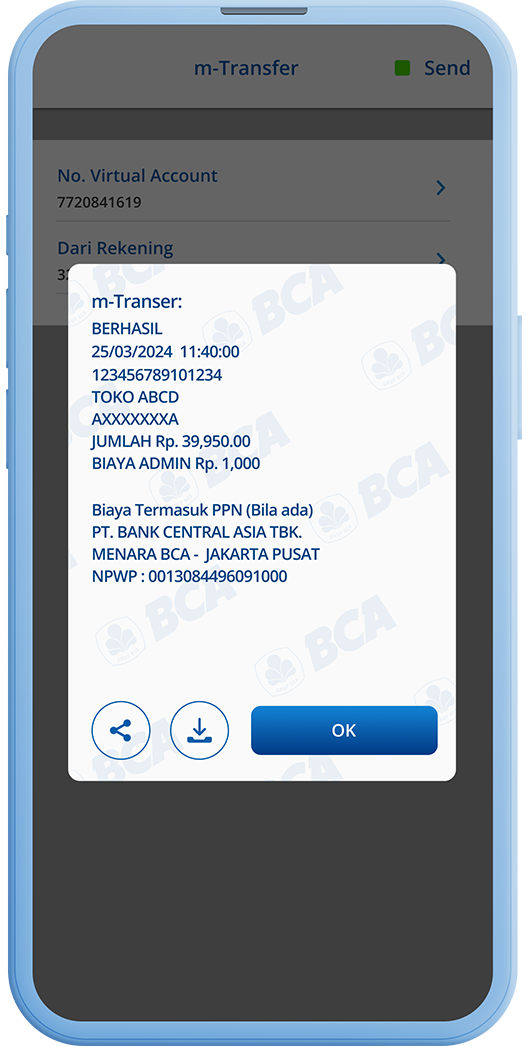
Step 6/6

Transaction is successful

BCA Headquarters

Menara BCA, Grand Indonesia

Jl. MH Thamrin No. 1

Jakarta 10310

Other BCA Branch

Contact Us

Halo BCA 1500888 halobca@bca.co.id +62 811 1500 998

Social Media

GoodLife BCA @goodlifebca
Solusi BCA @BankBCA
See All Social Media

Get promos and best deals from BCA

  • Email can not empty
  • You entry wrong email format
  • You are succesfully subsribed
  • Your Email already registered
  • sukses-berlangganan
  • {C7553FAD-1080-457C-B807-4CDE618F2503}
  • https://www.bca.co.id/en/Individu/layanan/e-banking/virtual-account/Virtual-Account-Tutorial?opt={6FBA4772-43FD-4E17-B574-8B73D66F9AC6}
  • {818BD8D3-2DFE-4F64-AAF5-9856B05BCB56}
  • {92D5CF2E-721B-4CCE-B39F-D0A94499EA88}
  • 24

This site is protected by reCAPTCHA and the Google Privacy Policy and Terms of Service apply.


  • SBDK
  • |
  • Policy
  • |
  • Terms

BCA is licensed and supervised by Financial Services Authority (Otoritas Jasa Keuangan) & Bank Indonesia

BCA is a member of Indonesia Deposit Insurance Corporation (LPS). The maximum deposit value guaranteed by LPS per customer per bank is IDR 2 billion. To check the LPS Guarantee Interest Rate, click here.

;

Anda akan meninggalkan BCA.co.id

Dengan mengklik ‘Lanjutkan’, Anda akan diarahkan menuju website di luar www.bca.co.id yang tidak terafiliasi dengam BCA dan mungkin memiliki tingkat sekuriti yang berbeda. BCA tidak bertanggung jawab dan tidak mendukung, menjamin, mengendalikan konten, mengendalikan ketersediaan dan perspektif atas produk-produk atau layanan-layanan yang ditawarkan atau dinyatakan oleh website tersebut.

Lanjutkan Batal