
Why Debit Contactless?

Fast
Simply bring Debit Card with Contactless feature closer to the EDC machine for transactions

Practical
No need to pass your Debit card to settle a transaction

Convenient
Flexibility to manage your Debit card, including on/off and card limit
BCA Mastercard Debit with Contactless feature
BCA Mastercard Debit with contactless feature can be used Domestically at EDC BCA with the logo
 or Internationally at all EDCs / payment machines that can accept contactless transactions from cards with the Mastercard logo.
BCA Mastercard Debit with contactless feature can be used Domestically and Internationally for transactions on all compatible EDC/payment machines and for public transportation payment that has RFID (Radio Frequency Identification) technology.
Debit Contactless FAQs
- BCA Debit cards with Mastercard logo and have a contactless logo or come with logo.
- Make sure the store/merchant has accepted contactless payments and that your BCA Debit card supports the contactless feature.
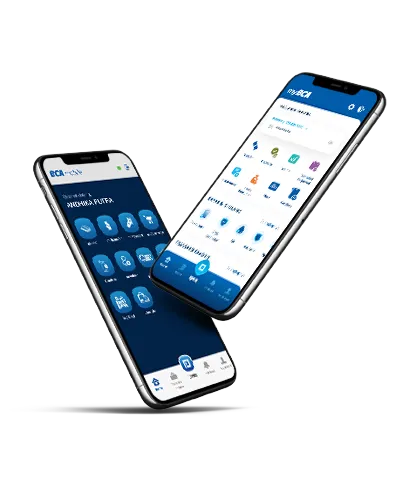
- Activate the Contactless Debit feature through the “Akun Saya” menu on myBCA or BCA mobile.
- Prepare the Contactless Debit and make sure the payment amount is correct.
- Hold the card up to the contactless payment machine.
- The transaction is complete and keep your Contactless Debit card in a safe place.
Activate the BCA Mastercard Debit with contactless feature on myBCA:
- Select Settings icon
- Select Debit Card & select the Debit Card you want to manage
- Click Transaction Control
- Switch On Contactless Debit Transactions
- Confirm and enter your myBCA PIN
- Contactless Debit is ready to use
Activate the BCA Mastercard Debit with contactless feature on BCA mobile:
- Open BCA mobile,
- Enter your m-BCA access code
- Click on “Akun Saya” menu
- Select the “Kontrol” menu
- Switch on the “Transaksi Debit Contactless” toggle
- Confirm by entering your m-BCA PIN
For contactless Debit transactions on public transportation*) abroad, you can do it without activating the contactless feature.
*) Such as Mass Rapid Transit (MRT) in Singapore, Express Rail Linkin Malaysia, The Bangkok Mass Transit System, Public Transportation in Australia (Trains, Trams, Buses, Translink, Transperth), GVB Amsterdam (Metros, Buses, Trams, Ferries), Mass Transit Railway (MTR) in Hongkong, Public Transportation in the United Kingdom (Bus, Translink, Metrolink), Riyadh Bus in Saudi Arabia, Public Transportation in Turkey (Bodrum Express Lines, Burulas, Havaist), etc.
- Domestic on BCA EDCs
- Overseas on any EDC/payment machine that accepts contactless transactions from cards with the Mastercard logo.
Contactless Debit transactions abroad can be done at merchants with compatible EDCs/payment machines and public transportation with RFID technology. The Contactless Debit transaction mechanism is generally identical to that in the country.
EDC Transaction:
- Make sure the store /merchant where you are making transactions supports contactless payments
- Prepare your Contactless Debit card and make sure the purchase amount is correct
- Hold the card up to the contactless EDC machine
- Transaction is complete
Transportation:
- Hold the card close to the tap machine when entering and exiting transportation.
Each public transportation company applies different policies for accumulating travel expenses and providing information to customers. Therefore, customers are advised to use the application from each public transportation company/provider to see detailed cost information on each trip made.
- Daily limit for BCA Mastercard Debit with contactless feature without PIN:
- Domestic = Rp 1 million/card/day
- International = up to Rp 10 million/card/day (default limit Rp 5 million*)
*Customers can increase their limit up to the maximum through the Set Limit menu in myBCA, myBCA Web, and BCA mobile.
You can set your Contactless Debit transaction limit via myBCA or BCA mobile.
Set your Contactless Debit transaction limit on myBCA:
- Select Settings icon
- Select Debit Card & select the Debit Card you want to set
- Click Set Limit
- Set Contactless Debit Limit without PIN
- Confirm and enter your myBCA PIN
Set your contactless debit transaction limit on BCA mobile:
- Open BCA mobile
- Enter your m-BCA access code
- Click the “Akun Saya” menu
- Select the “Atur Limit” menu
- Adjust the “Contactless Debit Limit without PIN” as needed
- Confirm by entering your m-BCA PIN
- Done.
If your Contactless Debit card is lost, immediately block it via myBCA/BCA mobile or report it to Halo BCA 1500888 for blocking.
How to Bock Contactless Debit on myBCA
- Open and log in to myBCA app
- Click the “Akun Saya” menu
- Select the “Kontrol Akun” menu
- Select “Kartu Debit”
- Select the Debit card you want to set
- Select “Blokir ”,
- Confirm by entering your myBCA PIN
How to Bock Contactless Debit on BCA mobile
- Open BCA mobile
- Enter your m-BCA access code
- Click the “Akun Saya” menu
- Select the “Blokir” menu
- Confirm by entering your m-BCA PIN
- BCA Debit cards with Mastercard logo and have a contactless logo