
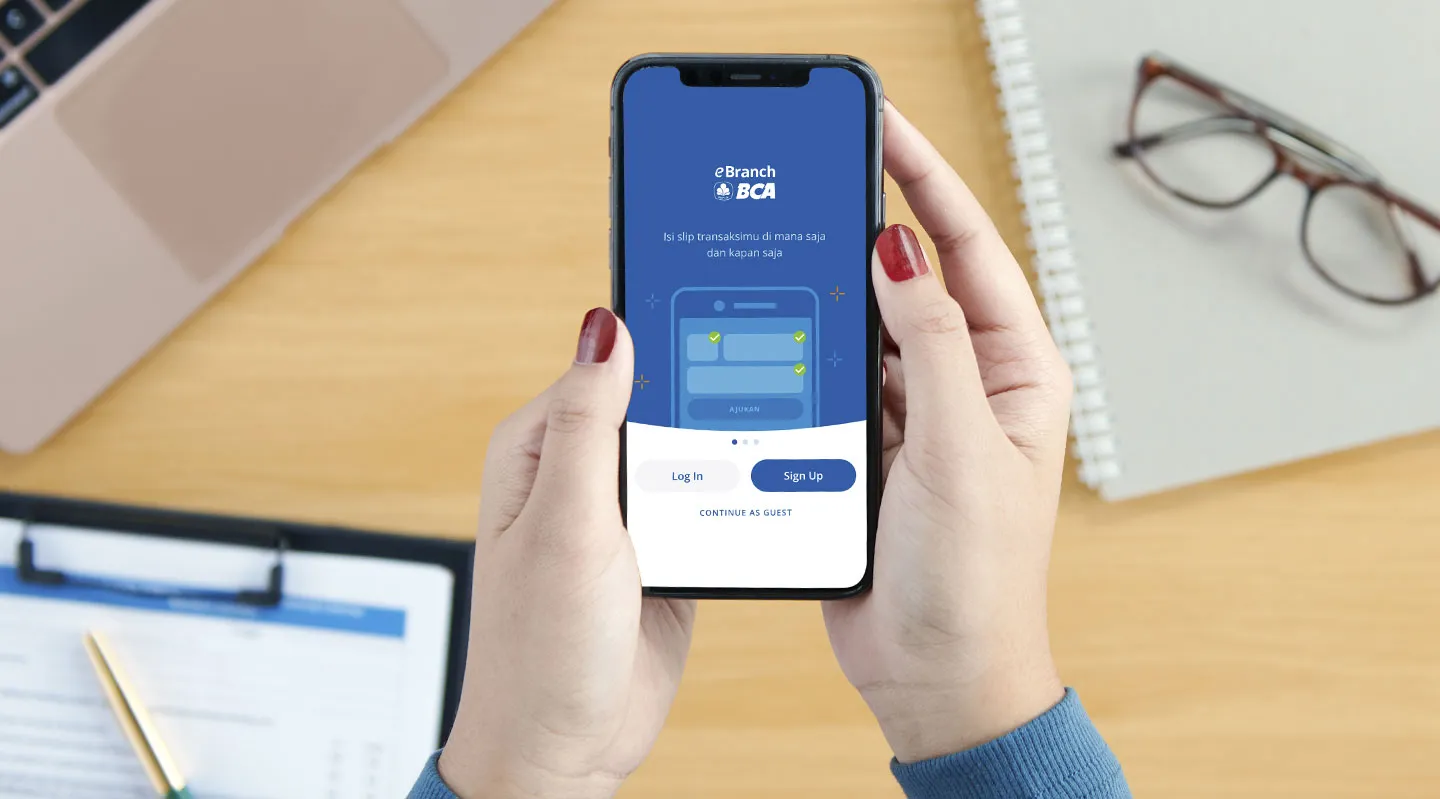
Benefit eBranch

Connected Mobile Form
With integrated system across all BCA branches, transactions can be carried out at any branch

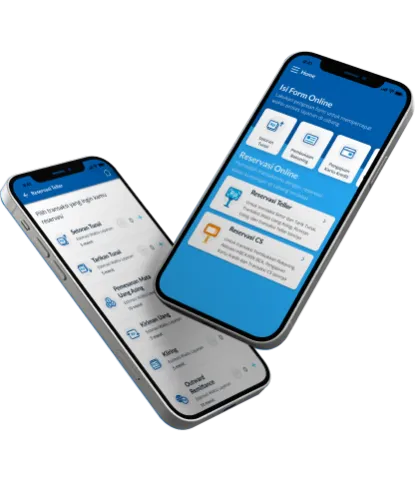
Service Time Reservation
Skip the queueing by selecting the desired branch, day, and time to schedule the transaction

Easy
View the entire transaction history in the app or in a personal e-mail
eBranch
About
Benefits
Important Information
Terms & Condition
Get the Service
eBranch
Transactions at BCA branches are now more convenient and efficient with eBranch. Customers can complete the required forms online prior to visiting the branch.
eBranch
Transactions at BCA branches are now more convenient and efficient with eBranch. Customers can complete the required forms online prior to visiting the branch.
Benefits

Save Image Feature
Save reference number directly in the mobile phone gallery, making it easier to show references without entering the BCA eBranch account first

Notification Reminder
The notification reminder feature reminds you of every transaction that must be done

Profile
Profile page to see your personal data and summary of your transactions
No App Download Required
Fill out the form directly on the eBranch portal
Save as PDF Feature
Instantly save your Reference Number in PDF format for easy transaction tracking
Important Information
- e-Branch BCA or Application is an application that can be downloaded by Users from a gadget to fill out mobile form and/or reservation prior to making transactions at branch offices
- User is any person who utilizes the application
- User e-mail is an e-mail entered by Users to use the application
- PIN is a personal identification number created by Users for the Application registration and must be entered every time the Application is open by Users
- Activation Link is a link delivered by BCA to User e-mail to activate the User account on the Application and is valid 24 (twenty-four) hours after registration
- Forgot Application PIN Link is a link delivered to User e-mail to reset the Application PIN in the event Users forget their PIN and is valid 24 (twenty-four) hours since the PIN reset
- Mobile Form is an electronic form on the Application filled out by Users to perform transactions at BCA branch offices and/or facilities following the applicable provisions of BCA
- Reference Number is an automated Transaction number received by Users every time a Mobile Form is completed
- Reservation is a feature available on the Application that allows Users to make an appointment with BCA officers at a designated place and time determined by the User
- Check-in is the process whereby the User enters the Reference Number at BCA Kiosk
- Transaction is a financial or non-financial transaction performed by Users at BCA branches and/or facilities, following up the Mobile Form request on the Application
- Receipt is a written record issued by BCA confirming that Users have performed a successful Transaction
- Finger ID is a fingerprint authentication registered by Users on the gadget
- Users are required to ensure that User e-mails input into the Application belong to the User
- Users are required to maintain the confidentiality of the Application PIN and are fully responsible for any misuse of User e-mails and Application PINs
- Change the Application PIN can be done by accessing the Profile menu or the Forgot Application PIN Link
- User e-mail that has been registered and activated cannot be registered again
- Users can register more than 1 (one) User e-mail to use the Application
- Users are required to ensure the data validity entered on the Mobile Form. Users are responsible for all consequences arising from filling in the data on the Mobile Form. Users hereby release BCA from all kinds of claims, lawsuits and / or other legal actions from any party
- Users are required to enter the required data (mandatory data) on the Mobile Form to get a Reference Number
- After entering the transaction data on the Mobile Form, the User is still required to come to the BCA branch and / or access BCA facilities for the purpose of completing the Transaction by informing the Reference Number and showing other documents in accordance with the applicable provisions in BCA
- The Reference Number can only be used by the User within 30 (thirty) calendar days since the User receives the Reference Number
- Data related to the eBranch BCA application will be stored by BCA in accordance with applicable retention provisions
- Users are required to upgrade the Application at the request of BCA
- User negligence in upgrading the Application results in the User being unable to use the Application or only being able to access certain features in the Application
- Users can cancel or delete the Mobile Form filling as long as the Transaction has not been completed at BCA
- Users who already have an Application account can view information and records related to Mobile Forms and / or Transactions on the Transaction Summary menu
- Data that can be seen on the Transaction Summary menu is only 30 (thirty) Transaction data within a maximum period of the last 3 (three) months
- With certain considerations, BCA has the right to refuse to process the completion of the Mobile Form according to the applicable provisions
- The use of Finger ID can only be done on devices (gadgets) that have a fingerprint feature with the following conditions:
- If the User has activated the fingerprint feature on the device (gadget), the Application will display a notification so that the User activates the Finger ID login feature. The Finger ID feature will be active the next time the User logs in to the Application
- If the User has not activated the fingerprint feature on the device (gadget), then the User must activate the fingerprint feature on the device (gadget) and have at least 1 (one) Finger ID registered on the device (gadget).
- User is obliged to check and ensure that only User Finger ID is registered / recorded on User's gadget
- The user is fully responsible for all consequences that arise in connection with the user's error / negligence in using the application with the fingerprint feature including but not limited to the user's negligence in ensuring that only the User's Finger ID is registered / recorded on the device (gadget) and the User hereby releases BCA from all kinds of claims, lawsuits and / or other legal actions from any party in connection with this matter
- To be able to use Finger ID in the Application, the User must first do the following:
- Have installed the application on the user's device (gadget)
- Have created an account (sign up))
- Have activated the fingerprint feature on the device (gadget) and have at least 1 (one) Finger ID registered on the user's device (gadget)
- Reservations can only be made by Users with the following conditions:
- User already has an Application account
- The user has completed filling out the Mobile Form and the Mobile Form is still valid (not expired)
- Reservations are made within the time limit and location provided by BCA
- User must come to the location selected by the User and perform Check-in within the period determined by BCA. Reservations may become invalid if the User does not check-in according to the time determined by BCA
- Users can change the reservation data as long as the Mobile Form is still valid (not expired)
- Users can submit complaints/complaints related to the application through the nearest BCA branch or by contacting Halo BCA. For the purposes of handling complaints/complaints, BCA has the right to ask the User to submit a photocopy of the User's identity and other supporting documents in accordance with the applicable provisions in BCA
- BCA will respond to the complaint in accordance with applicable legal provisions
- Complaints/complaints related to the Application must be submitted by the User to BCA no later than 3 (three) months from the date of the Transaction
By becoming an User of the application, the User hereby declares that he fully understands and is subject to and bound by the contents of these BCA eBranch Terms. BCA has the right to change, complete, or replace these BCA eBranch Terms which will be notified by BCA to the User in any form and through any means in accordance with applicable legal provisions
- To use the application, Users must download the Application from a gadget with a specified operating system determined by BCA
- The User can use the Application in 2 (two) ways:
- Through the Login menu. To register, Users must fill out their full name, e-mail, and PIN to get the activation link, which will be sent to User e-mails. Users must open the link within 24 (twenty-four) hours after registration
- Through the Login menu as Guest. Users can directly use the Application without having to register and will only be able to access the Mobile Form filling
Syarat dan Ketentuan
KETENTUAN eBRANCH BCA (WEB)
PT BANK CENTRAL ASIA Tbk (“BCA”)
A. DEFINISI
- eBranch BCA (Web) adalah suatu sarana dalam bentuk website untuk melakukan pengisian eForm sebelum melakukan Transaksi di kantor cabang BCA.
- Pengguna adalah setiap orang, baik nasabah maupun non nasabah BCA, yang mengakses eBranch BCA (Web).
- eForm adalah formulir elektronik pada eBranch BCA (Web) yang diisi oleh Pengguna untuk melakukan Transaksi sesuai dengan ketentuan yang berlaku di BCA.
- Nomor Referensi adalah nomor pengenal Transaksi yang terbentuk secara otomatis dan diterima Pengguna setiap kali Pengguna selesai melakukan pengisian eForm.
- Transaksi adalah transaksi finansial atau non-finansial yang dilakukan oleh Pengguna di kantor cabang BCA sebagai tindak lanjut atas pengisian eForm pada eBranch BCA (Web).
- Quick Response Codeatau QR Code adalah kode dua dimensi yang terdiri atas penanda tiga pola persegi pada sudut kiri bawah, sudut kiri atas, dan sudut kanan atas, memiliki modul hitam berupa persegi titik atau piksel, dan memiliki kemampuan menyimpan data alfanumerik, karakter, dan simbol.
B. KETENTUAN UMUM PENGGUNAAN eBRANCH BCA (WEB)
- Untuk menggunakan eBranch BCA (Web), Pengguna dapat memindai QR Code yang disediakan oleh BCA atau membuka website yang ditentukan oleh BCA.
- Pengguna wajib memastikan kebenaran data yang diinputpada eForm. Pengguna bertanggung jawab sepenuhnya atas segala akibat yang timbul dari pengisian data pada eForm dan dengan ini membebaskan BCA dari segala macam tuntutan, gugatan, dan/atau tindakan hukum lainnya dari pihak manapun sehubungan dengan hal tersebut.
- Pengguna wajib memasukkan data yang disyaratkan (mandatory data) pada eForm untuk mendapatkan Nomor Referensi.
- Setelah memasukkan data Transaksi pada eForm, Pengguna tetap wajib datang ke kantor cabang BCA untuk keperluan penyelesaian Transaksi dengan menginformasikan Nomor Referensi dan menunjukkan dokumen-dokumen lain sesuai ketentuan yang berlaku di BCA.
- Pengguna dapat membatalkan pengisian eForm selama Transaksi belum diselesaikan di BCA.
- Dengan pertimbangan tertentu BCA berhak menolak memproses Transaksi yang datanya diinput oleh Pengguna pada eForm sesuai ketentuan atau prosedur yang berlaku di BCA.
- Nomor Referensi hanya dapat digunakan oleh Pengguna dalam jangka waktu 30 (tiga puluh) hari kalender setelah BCA memberikan Nomor Referensi.
- Data Transaksi yang diinput di eBranch BCA (Web) akan disimpan BCA sesuai ketentuan retensi yang berlaku, sepanjang Pengguna telah melaksanakan Transaksi di kantor cabang BCA.
C. PENANGANAN KELUHAN (PENGADUAN)
- Keluhan/pengaduan terkait eBranch BCA (Web) dapat disampaikan oleh Pengguna melalui cabang BCA terdekat atau dengan menghubungi Halo BCA. Untuk keperluan penanganan keluhan/pengaduan tersebut, BCA berhak meminta Pengguna untuk menyerahkan fotokopi identitas diri Pengguna dan dokumen pendukung lainnya sesuai ketentuan yang berlaku di BCA.
- Keluhan/pengaduan terkait eBranch BCA (Web) harus disampaikan oleh Pengguna kepada BCA selambat-lambatnya 3 (tiga) bulan sejak tanggal terjadinya
D. PENYELESAIAN PERSELISIHAN
- Pengguna setuju bahwa setiap perselisihan atau perbedaan pendapat yang timbul dari dan/atau berkenaan dengan pelaksanaan Ketentuan eBranch BCA (Web) PT Bank Central Asia Tbk (“BCA”) ini akan diselesaikan dengan cara
- Setiap perselisihan atau perbedaan pendapat yang tidak dapat diselesaikan secara musyawarah oleh BCA dan Pengguna akan diselesaikan melalui fasilitasi perbankan di Bank Indonesia atau Otoritas Jasa Keuangan atau mediasi yang dilakukan melalui Lembaga Alternatif Penyelesaian Sengketa yang tercantum dalam Daftar Lembaga Alternatif Penyelesaian Sengketa yang ditetapkan oleh Otoritas Jasa
- Setiap perselisihan atau perbedaan pendapat yang tidak dapat diselesaikan baik secara musyawarah, fasilitasi perbankan, dan/atau mediasi sebagaimana dimaksud dalam butir D.2 di atas, akan diselesaikan melalui Pengadilan Negeri Jakarta Pusat, dengan tidak mengurangi hak BCA untuk mengajukan gugatan atau tuntutan melalui Pengadilan Negeri lainnya dalam wilayah Republik
E. LAIN-LAIN
- BCA berhak untuk mengubah, melengkapi, atau mengganti Ketentuan eBranch BCA (Web) PT Bank Central Asia Tbk (“BCA”) ini yang akan diberitahukan oleh BCA kepada Pengguna dalam bentuk dan melalui sarana apa pun sesuai ketentuan hukum yang
- Pengguna dengan ini menyatakan telah membaca, memahami, dan menyetujui isi dari Ketentuan eBranch BCA (Web) PT Bank Central Asia Tbk (“BCA”) ini dan BCA telah memberikan penjelasan dan meminta konfirmasi kepada Pengguna atas penjelasan tentang manfaat, biaya, dan risiko terkait dengan penggunaan eBranch BCA (Web).
Ketentuan eBranch BCA (Web) PT Bank Central Asia Tbk (“BCA”) ni
telah disesuaikan dengan ketentuan peraturan
perundang-undangan termasuk ketentuan peraturan Otoritas Jasa Keuangan
Get the Service

eBranch Application
Access these products or services directly and online anytime and anywhere.
Branch Services
Access the Branch Services menu directly and online anytime and anywhere via myBCA web, myBCA application, and HaloBCA application.

BCA Branch
Find the nearest BCA branch location to access these products or services directly.
More about eBranch
Make reservation with eBranch