
BG Checking Website User Guide
1. The Beneficiary enters the Bank Guarantee Number / Bank Guarantee Amendment Number
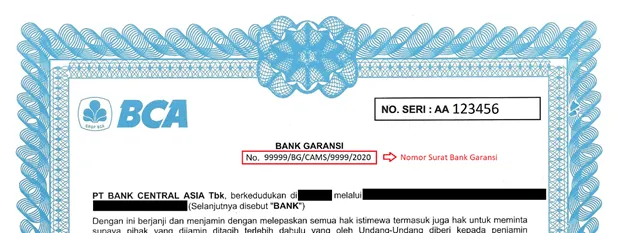
2. Beneficiary completes the CAPTCHA
3. The Beneficiary clicks the CHECK BG button
Notes:
- Only Bank Guarantees with an ACTIVE status (not canceled / closed / claimed) will be displayed.
- Search process mechanism:
- If the original Bank Guarantee Number is entered, the latest version of the Bank Guarantee will be displayed.
- If an amended Bank Guarantee Number is entered, the displayed data will reflect the latest amendments.
Visit https://webform.bca.co.id/bank-garansi/tracking-bg to check Bank Guarantee details.